
Start with the playoff format
This guide starts after the league has been created and has enough structure to support playoffs. If you still need the basic league setup, start with How to Create a League in BracketIQ. If the league is already active and you need weekly operations, use How to Manage a League in BracketIQ. If you need the standings workflow first, keep How to Manage League Standings and Playoff Seeding open as the companion guide.
The example uses an indoor soccer league, but the same playoff workflow works for volleyball, outdoor soccer, pickleball, basketball, tennis, hockey, baseball, football, and other recreational sports where a regular season qualifies teams for a bracket.
Before you run playoffs, decide:
- How many teams qualify.
- Whether playoffs use the same division as the regular season.
- Whether you need separate playoff divisions such as Gold and Silver.
- Which week is the regular-season cutoff.
- Where semifinal and final matches should be scheduled.
- Whether standings should automatically seed the bracket.
This guide focuses on a single league division feeding a four-team playoff bracket. Split regular-season and playoff divisions deserve their own workflow because the placement rules, division mapping, and communication are more involved.
Confirm playoff settings in the league
Open the league in Manage mode, go to Details, and open the Divisions section. Confirm the playoff team count before the final regular-season matches are played.
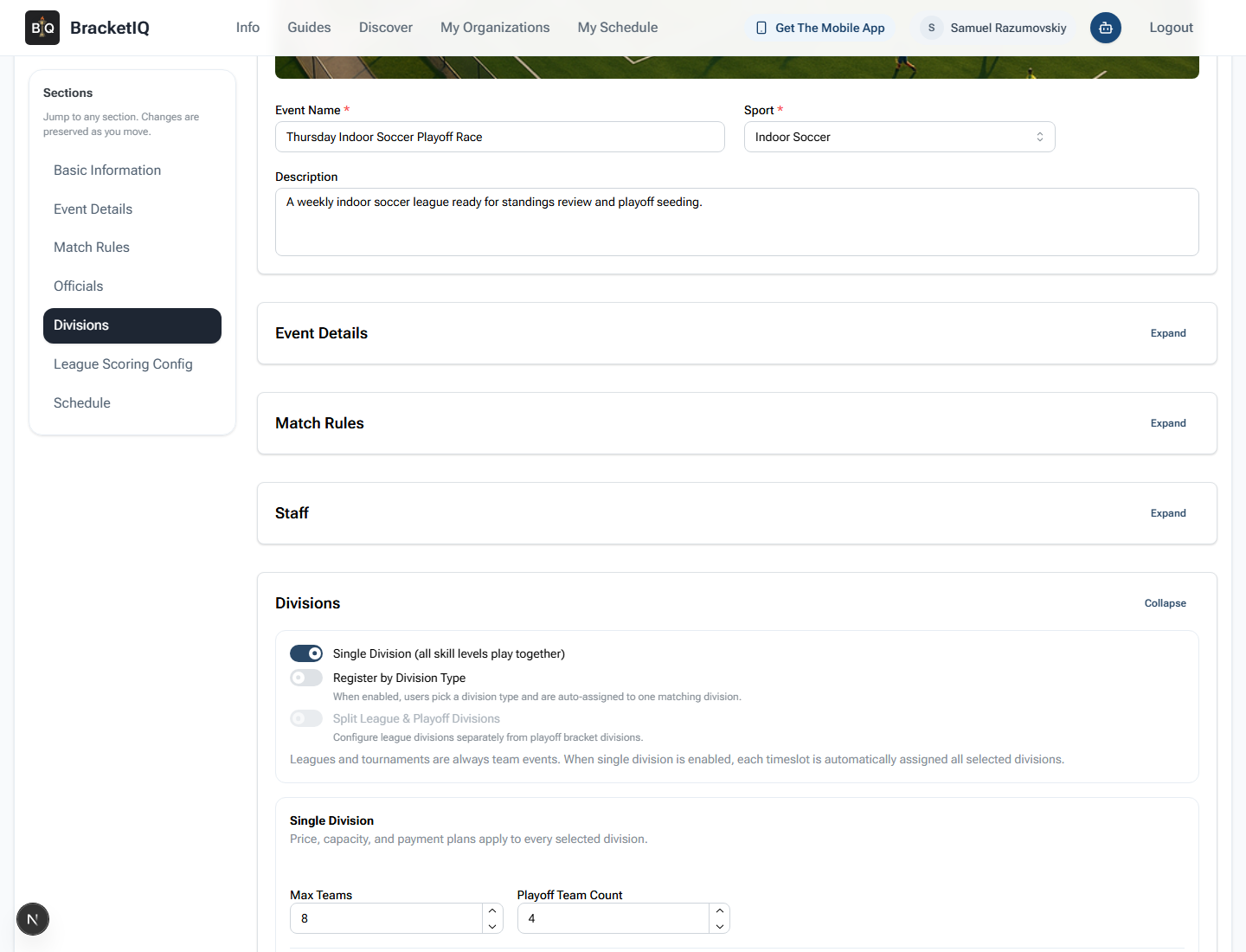
Check the playoff setup:
Single Divisionis on when every team competes in the same standings table.Split League & Playoff Divisionsis off for a simple top-four bracket.Max Teamsis high enough for the league size.Playoff Team Countmatches the number of teams that should qualify.- The division card shows the expected playoff team count after settings are saved.
For a six-team league with a four-team playoff, this means two teams will miss the bracket. Make that cutoff clear before the last regular-season week so captains understand what the standings mean.
Review teams before the cutoff
Open Participants before the playoff cutoff. The playoff bracket should be based on the final eligible team list, not on a stale roster.
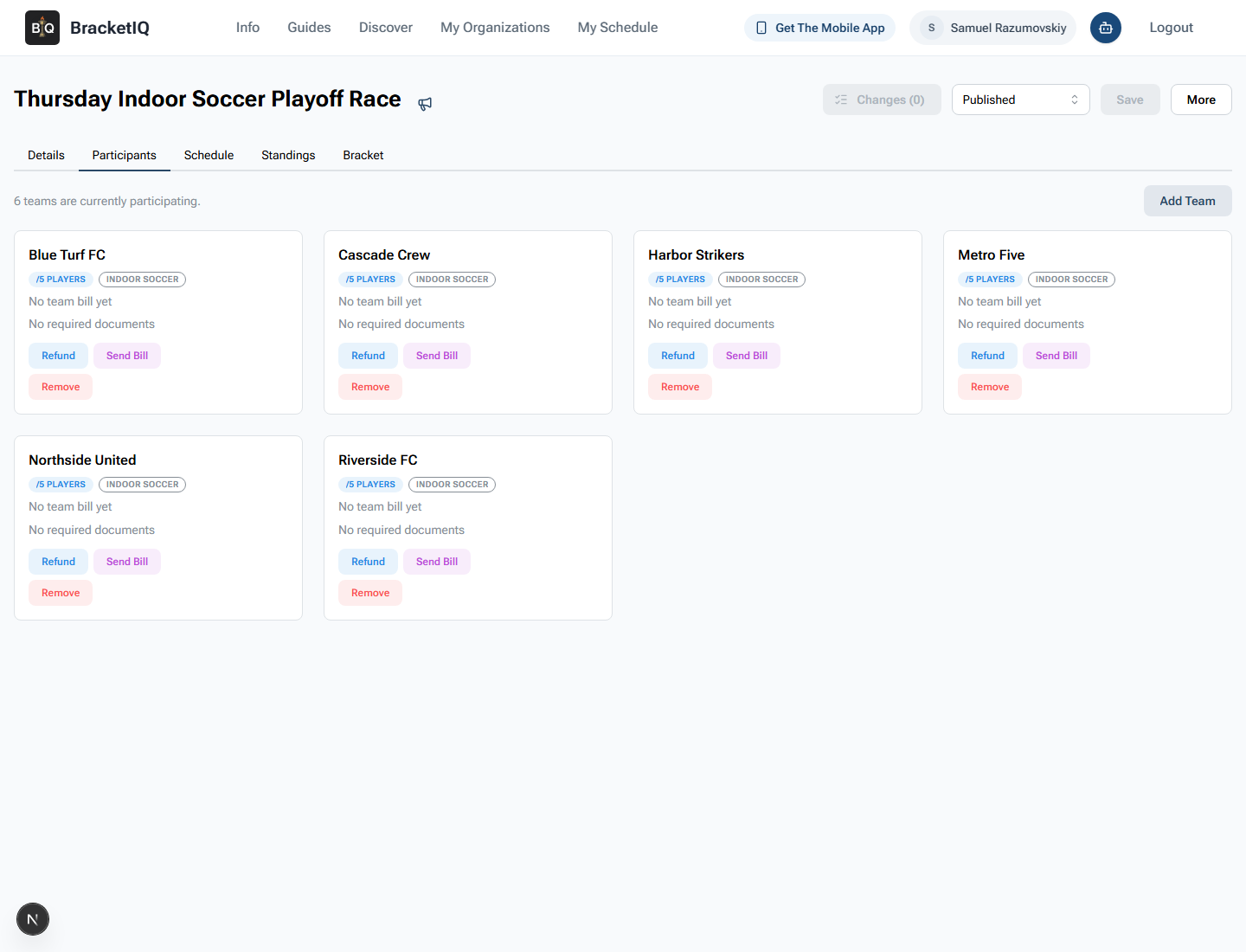
Review:
- The total number of participating teams.
- Team names that should appear in standings and bracket cards.
- Whether any team should be removed before playoffs.
- Whether any roster, bill, refund, or document issue affects eligibility.
- Whether late teams should still be allowed to join.
For recreational leagues, playoff disputes often come from simple operational gaps: a team was never removed, a captain expected a roster exception, or staff forgot that only four teams qualified. Use Participants as the cutoff checkpoint.
Check the playoff schedule in Agenda view
Open Schedule and switch to Agenda view. Review the last regular-season matches and the playoff match dates in the same list.
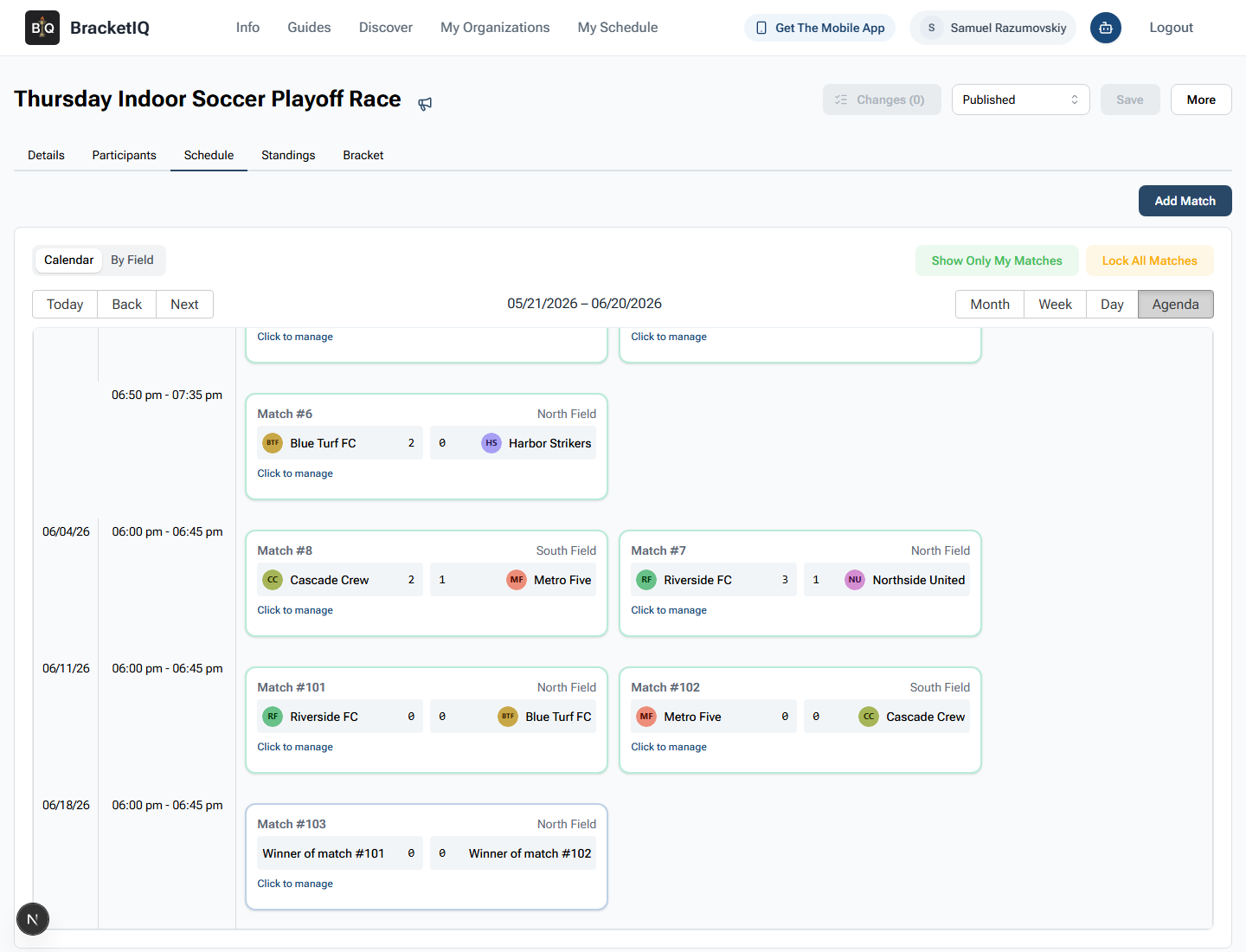
Use this screen to confirm:
- The final regular-season matches happen before playoff matches.
- Semifinals are placed on the expected date and fields.
- The final is scheduled after the semifinal winners can be known.
- Match times fit facility availability.
- Staff can read playoff order without opening a separate bracket tool.
In this example, the semifinal matches are scheduled on June 11, 2026, and the final is scheduled on June 18, 2026. Agenda view makes that progression easy to review because it shows the bracket matches alongside date, time, team, score, and field information.
Confirm the qualifying standings
After regular-season scores are final, open Standings. Confirm the division standings before relying on the playoff bracket.
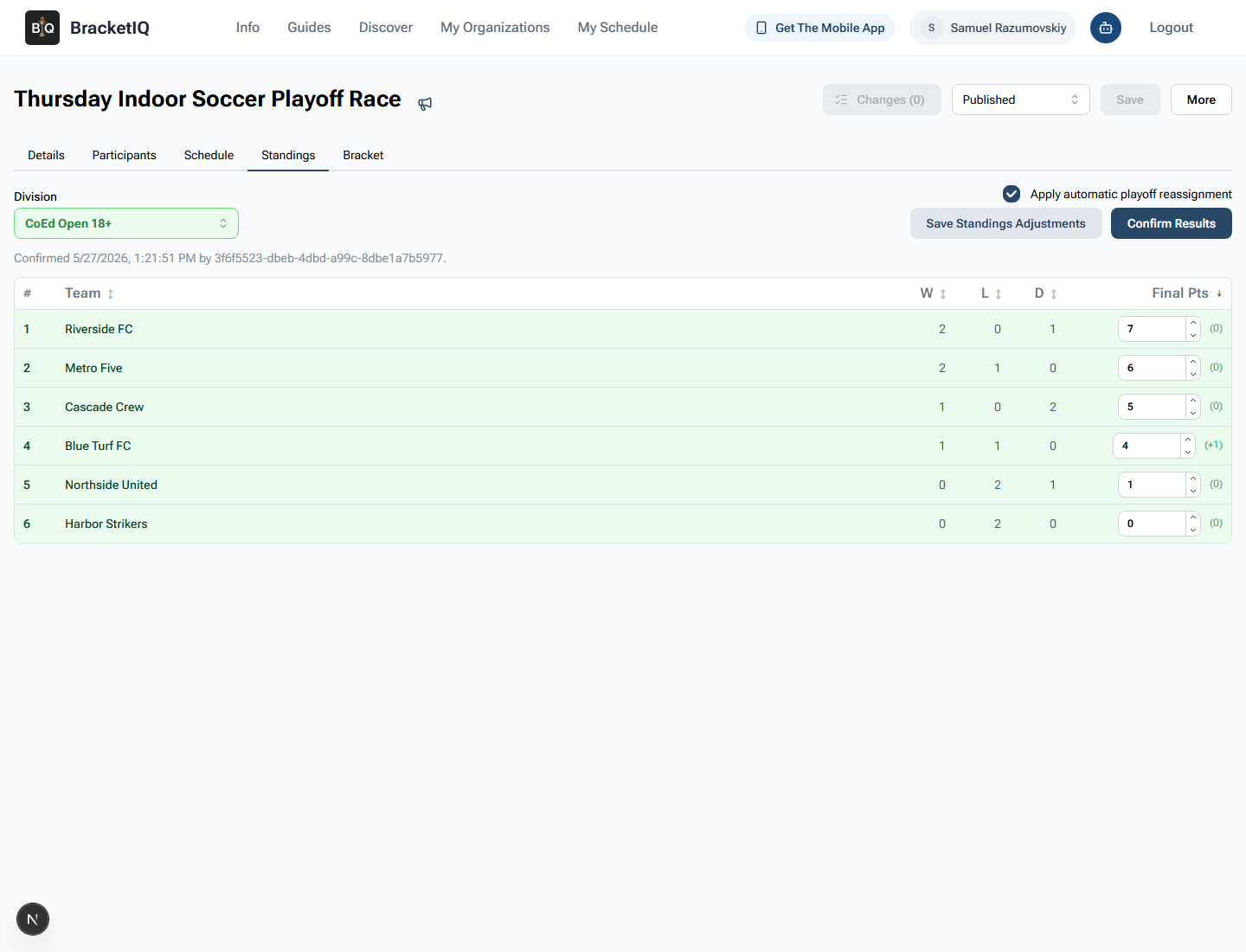
Review the standings as the qualification table:
- Confirm the division selector is correct.
- Check wins, losses, draws, and final points.
- Verify any final point adjustments are intentional.
- Confirm the top teams match the playoff cutoff.
- Keep automatic playoff reassignment on when BracketIQ should seed the bracket.
Here, Riverside FC, Metro Five, Cascade Crew, and Blue Turf FC qualify for playoffs. Northside United and Harbor Strikers stay outside the top four. If the standings are wrong, fix the match scores or standings adjustments before the bracket is used.
Verify the seeded playoff bracket
Open the Bracket tab after standings are confirmed. BracketIQ places qualified teams into playoff matches according to the standings and playoff configuration.
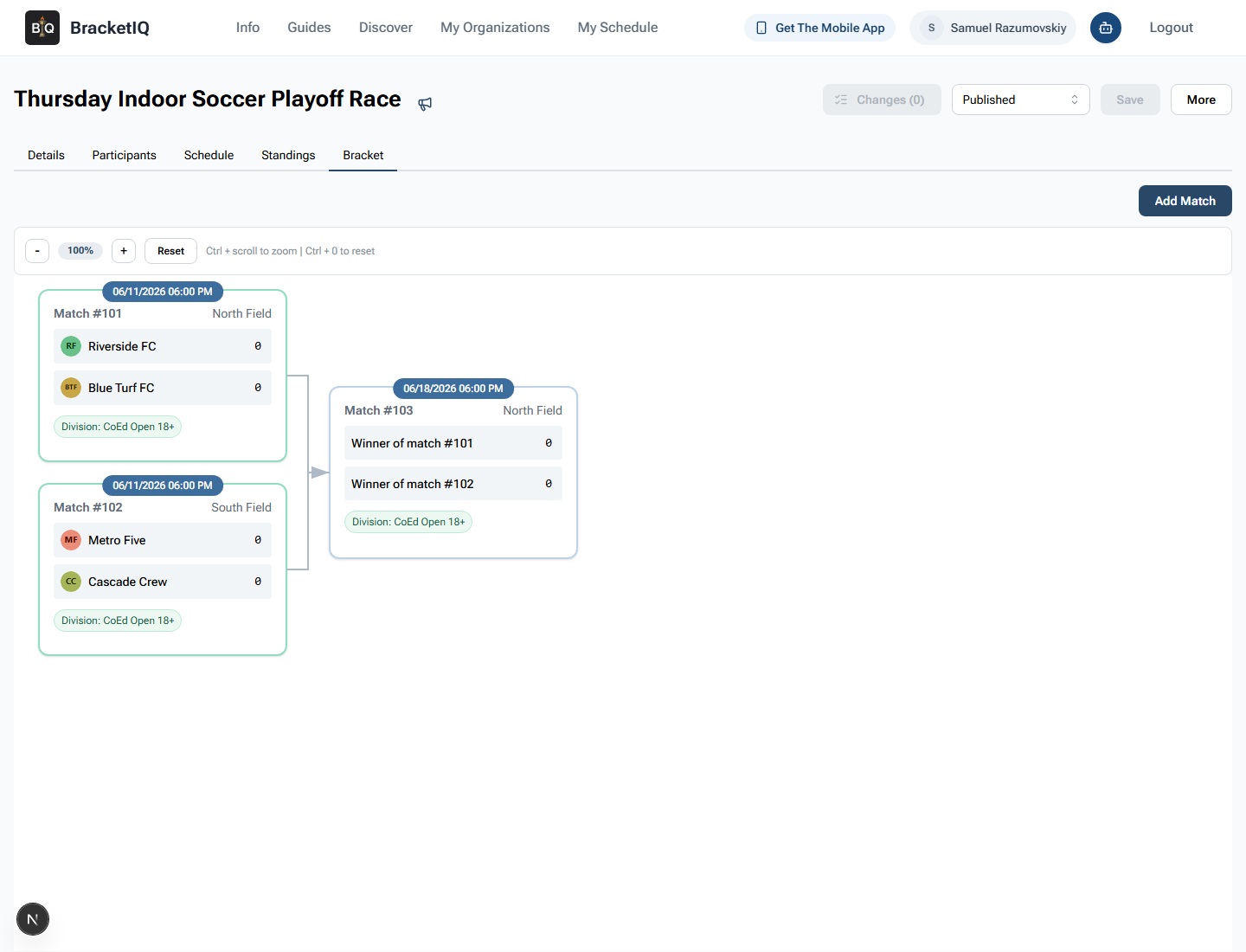
Check the bracket before teams arrive:
- Seed 1 and seed 4 are in one semifinal.
- Seed 2 and seed 3 are in the other semifinal.
- Field assignments match the playoff schedule.
- The final uses winner placeholders until semifinal results are entered.
- Match numbers and dates match the schedule teams will see.
Do not wait until kickoff to discover a bracket issue. If the wrong team is seeded, go back to the standings workflow, correct the source problem, confirm results again, and reopen the bracket.
Check the participant-facing bracket
Open the participant-facing bracket view so you can see what teams, captains, parents, and players will see.
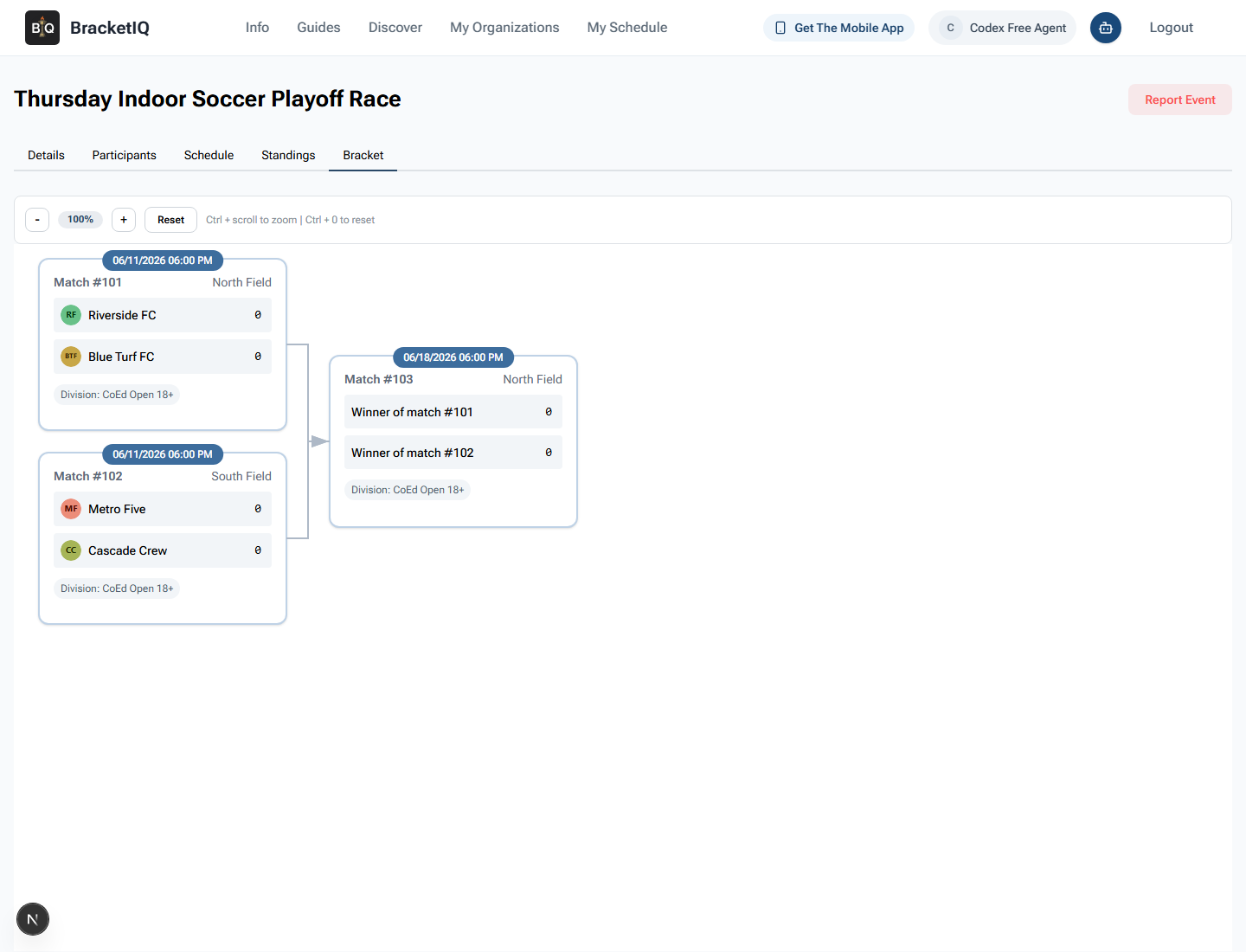
Check that the public bracket shows:
- The right semifinal matchups.
- Dates, times, and fields.
- Winner placeholders for the final.
- Division labels participants recognize.
- No organizer-only controls such as
Add Match.
This final public review matters because teams will share whatever they can see. If the participant-facing bracket is correct, BracketIQ becomes the playoff source of truth instead of a screenshot in a group chat.
League playoff checklist
Use this checklist before playoffs start:
- Set the playoff team count in the league division.
- Confirm whether the league uses one division or split playoff divisions.
- Review the participating teams before the cutoff.
- Use Agenda view to check semifinal and final dates.
- Enter and verify all regular-season scores.
- Confirm standings for the qualifying division.
- Keep automatic playoff reassignment on when BracketIQ should seed teams.
- Open the Bracket tab and verify matchups.
- Check the participant-facing bracket.
- Continue playoff score entry from the bracket or schedule.
Running league playoffs is the handoff from season operations to bracket operations. BracketIQ keeps that handoff in one place: league setup defines the cutoff, scores feed standings, standings seed the bracket, and the public page gives teams one place to check who plays next.