
Plan the outdoor format before teams register
Outdoor volleyball leagues have a different operating rhythm than indoor leagues. The schedule has to respect daylight, weather, court conditions, shared park or beach space, and the reality that sand and grass events often need more flexibility than a gym schedule.

Photo by Daniel Guti on Pexels.
Before opening registration, decide:
- Whether the league is beach doubles, beach fours, grass doubles, grass triples, grass fours, coed, youth, adult, recreational, or competitive.
- Whether teams play a fixed league season, a summer series, or flexible weekly sessions.
- How many courts are usable at the same time.
- Whether teams self-officiate, provide work teams, or report scores after matches.
- How weather delays, darkness, wind, rain, and court closures will be handled.
- Whether standings lead to playoffs, finals night, or series points.
Use How to Create a League in BracketIQ for the base league setup workflow. This article focuses on the outdoor volleyball decisions around that workflow.
Set registration rules around limited court space
Outdoor volleyball leagues usually have a hard capacity. A beach may only have a few nets. A grass venue may have space for more courts, but only if lines, antennas, lighting, staff, and permits are ready.
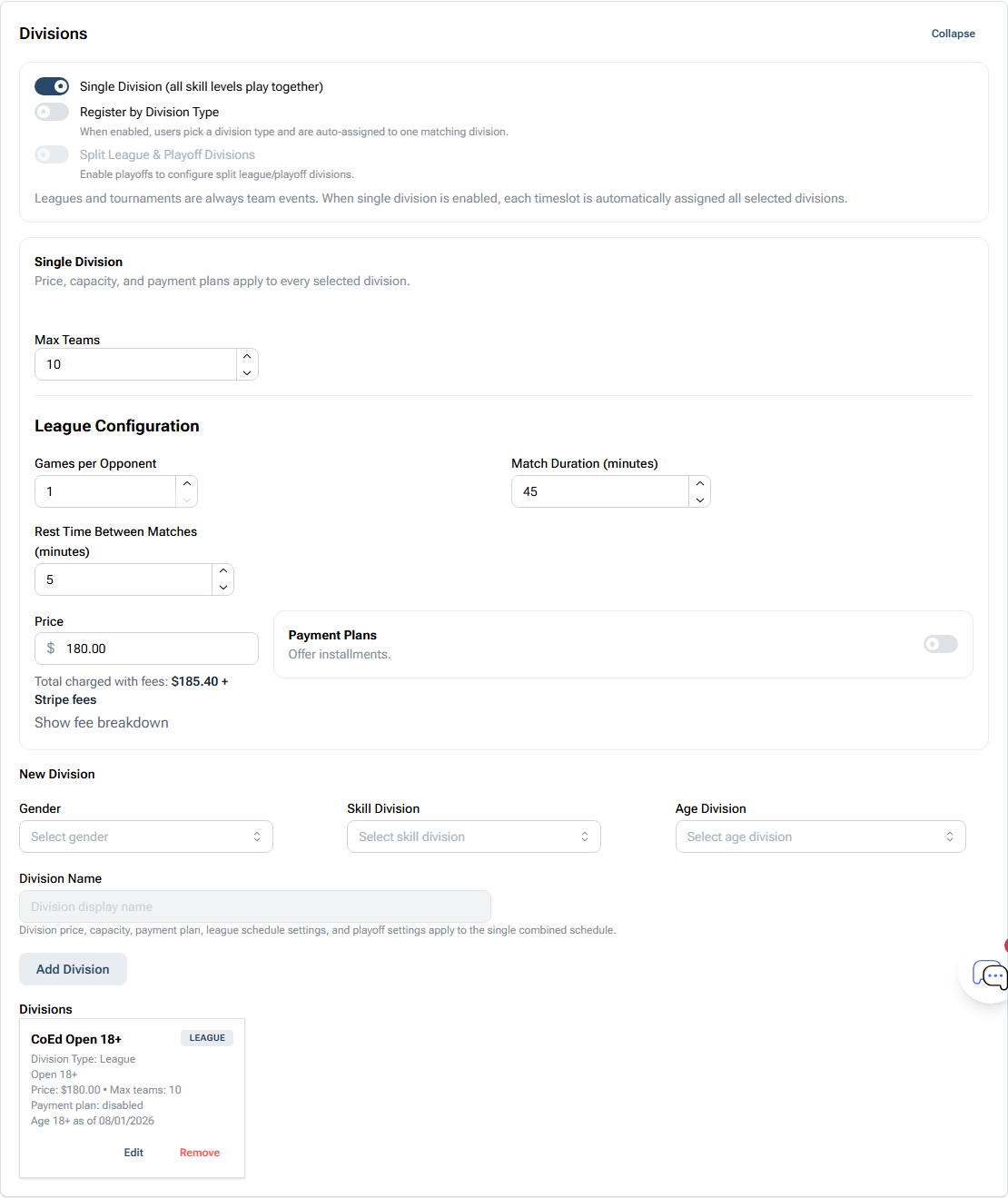
For outdoor volleyball, set:
- Team registration for doubles, fours, or full-team formats.
- Division capacity based on actual court space, not the number of teams you hope to accept.
- Separate divisions for skill level, gender format, age group, or day of week.
- Pricing that accounts for permits, net setup, staff time, prizes, and payment fees.
- A registration cutoff early enough to build the first schedule and communicate court assignments.
Use How to Set Up League Registration for Teams and Players when you need the BracketIQ registration steps in more detail.
Build weekly blocks around daylight and court setup
Outdoor volleyball scheduling starts with time blocks. Know when courts can be set up, when matches can start, and when the venue becomes unusable because of darkness or permit limits.
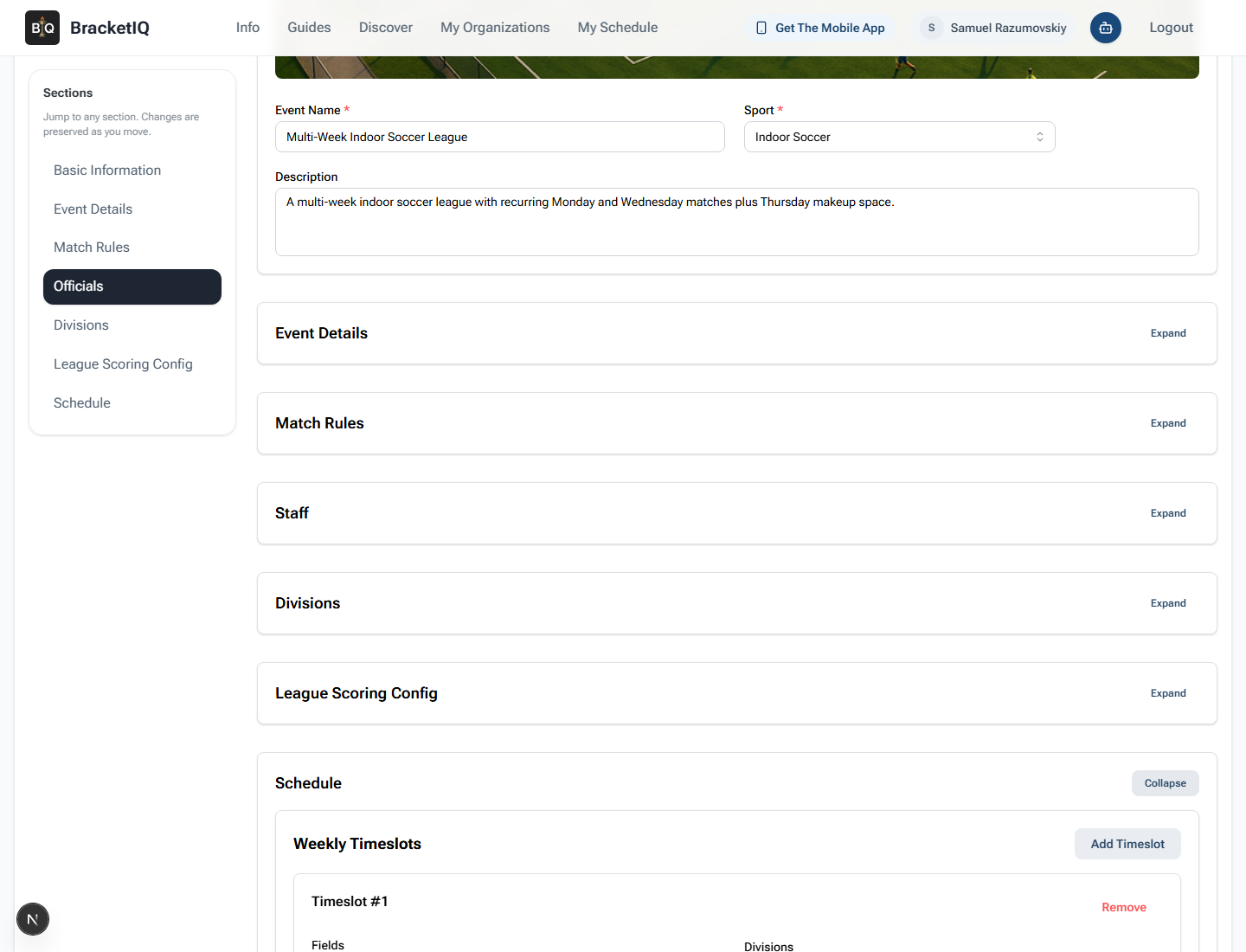
For beach or grass leagues, check:
- Sunset times across the season.
- Whether courts need setup and teardown time.
- Whether nets are permanent, rented, or stored offsite.
- Whether teams rotate between courts or stay on assigned courts.
- Whether match length changes when weather delays the night.
- Whether makeups should happen on another weeknight, weekend morning, or final buffer week.
For the full recurring schedule workflow, use How to Schedule a Multi-Week Sports League.
Review the schedule in Agenda view
Once teams are registered and the schedule is generated, review each night in Agenda view before sending teams to the venue.
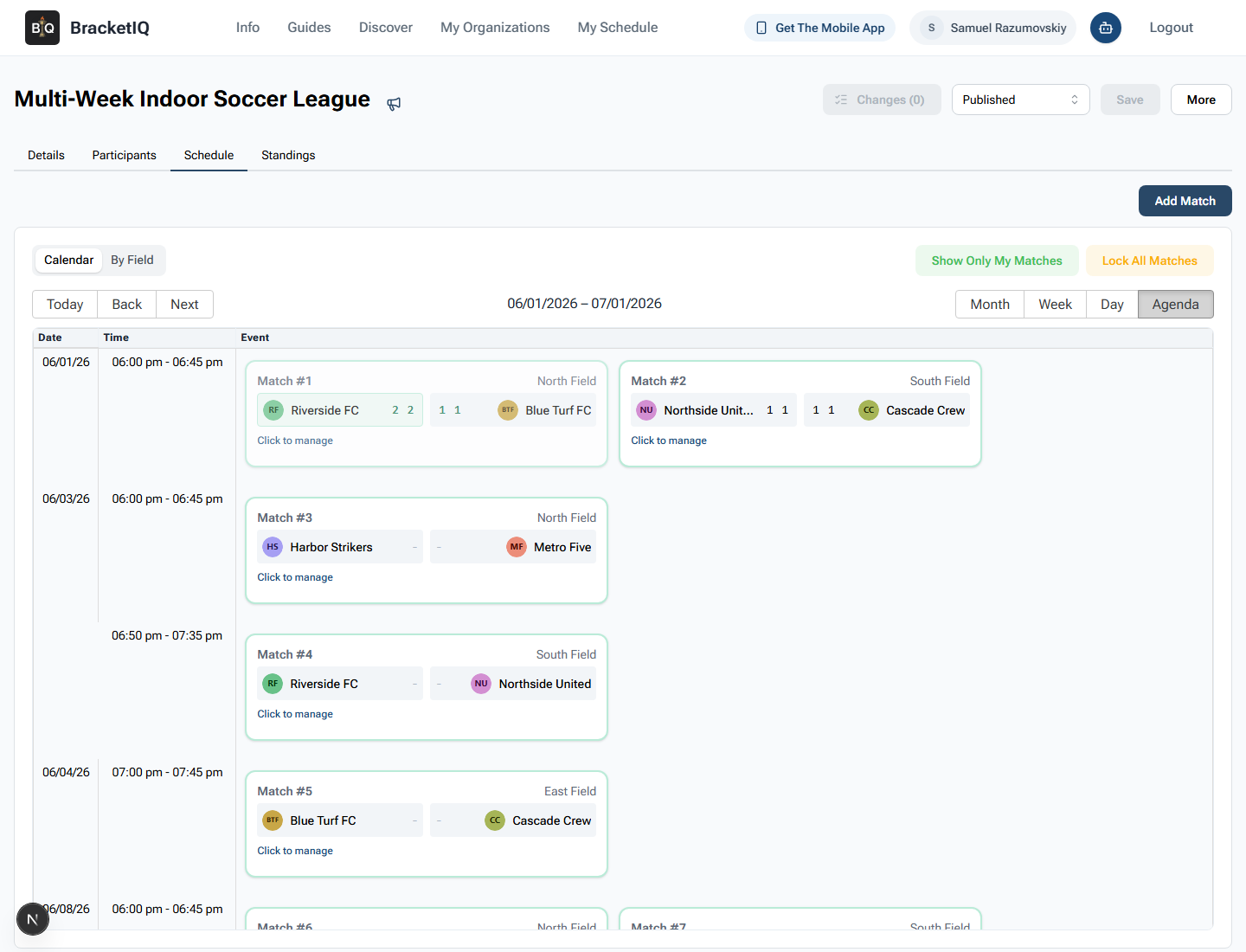
Agenda view is useful for outdoor volleyball because it shows:
- Match order.
- Start times.
- Team names.
- Court assignments.
- Gaps caused by court limits.
- Which matches are most vulnerable to darkness.
If a court becomes unusable, Agenda view also gives staff a clear list of affected matches before they reschedule or send updates.
Track standings for leagues or series points
Outdoor volleyball may use normal league standings, weekly points, series points, playoff qualification, or a final seeded bracket. Decide the standings model before the first night so teams understand what every match is worth.
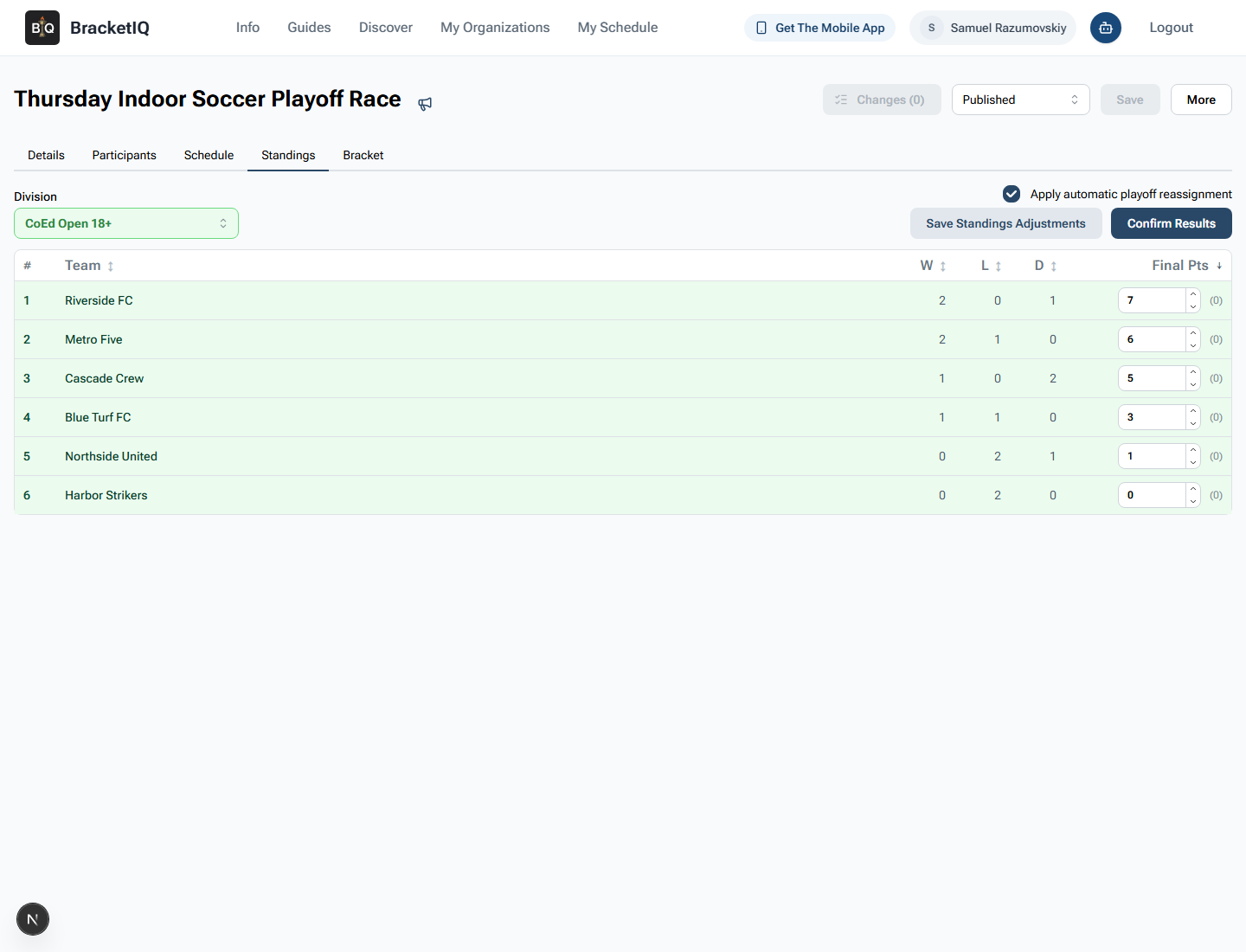
For outdoor volleyball, define:
- Whether wins, set wins, points scored, or point differential matter.
- How forfeits are recorded when weather or late arrivals affect matches.
- Whether teams can make up missed matches.
- Whether standings are reset for playoffs or carried into a finals night.
- How tied teams are ranked.
Use How to Manage League Standings and Playoff Seeding when scores are coming in and playoff or finals placement needs to be confirmed.
Communicate weather and venue changes quickly
Outdoor volleyball needs a communication plan. Teams should not be guessing whether a beach, park, or grass field is playable.
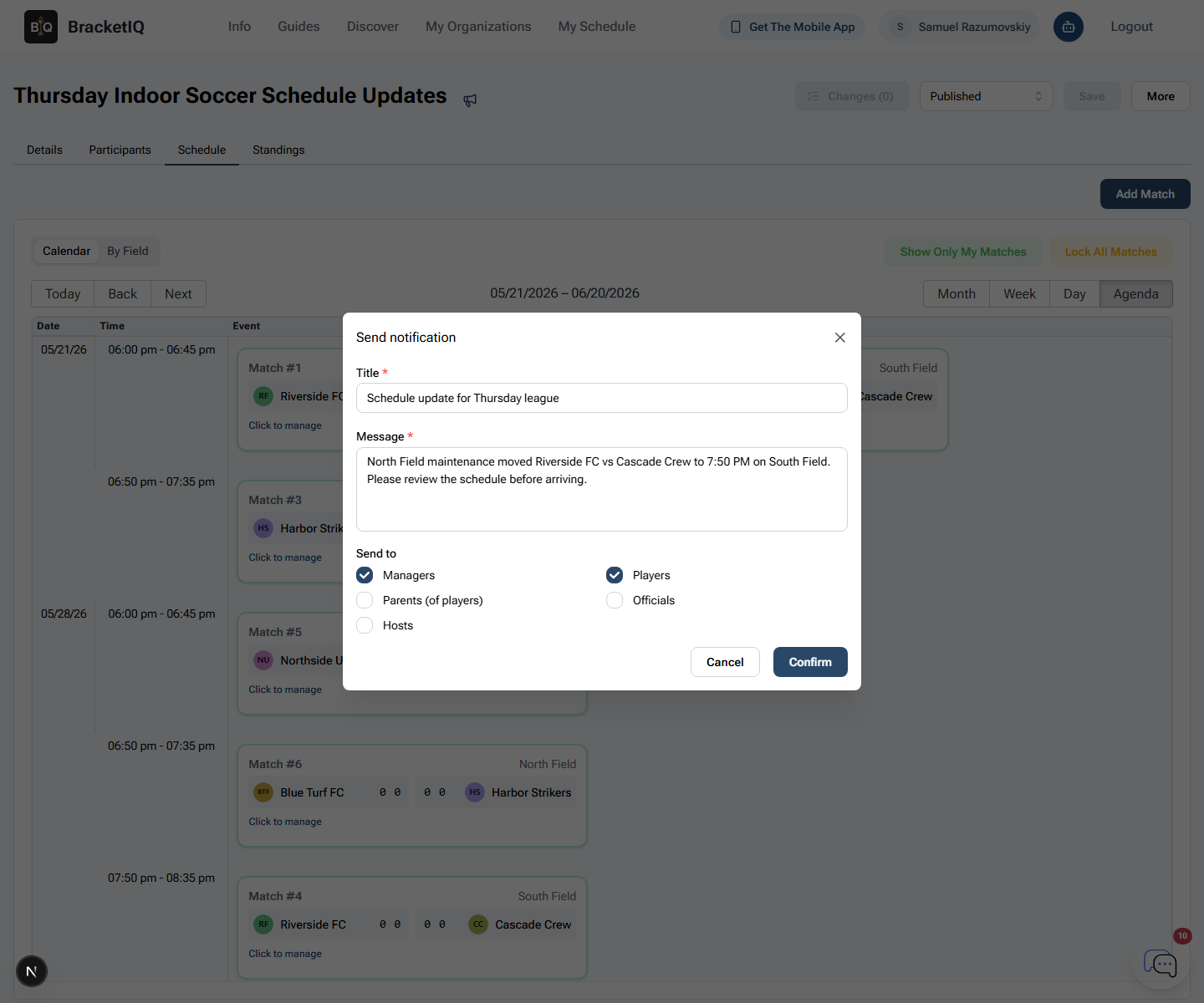
When conditions change, send teams:
- The affected date and match window.
- Whether the night is delayed, shortened, moved, or cancelled.
- The new court, field, or meetup location if it changes.
- Whether scores, standings, or playoffs are affected.
- Where to check the updated schedule.
For the BracketIQ communication workflow, use How to Communicate Schedule Changes During a League Season.
Outdoor volleyball league checklist
Use this checklist before launching an outdoor volleyball league or series:
- Confirm beach or grass format, roster size, and division structure.
- Set team registration, price, capacity, and cutoff.
- Confirm permits, nets, lines, antennas, balls, and court setup.
- Build schedule windows around daylight and teardown time.
- Decide weather, makeup, and cancellation policies.
- Decide self-officiating, score reporting, and work-team expectations.
- Review every night in Agenda view.
- Publish the public league page.
- Track scores and standings regularly.
- Send weather or venue updates through BracketIQ so teams have one source of truth.
BracketIQ handles registration, team capacity, weekly schedules, Agenda review, standings, playoffs, payments, public pages, and participant communication. The outdoor volleyball work is making the court plan, weather policy, daylight schedule, and score-reporting expectations clear enough that teams can show up ready to play.