
Build the tournament around court time
Indoor volleyball tournaments are usually won or lost operationally before the first serve. The biggest constraint is gym time: how many courts are available, how long each match takes, and how quickly teams can move from pool play into playoffs.

Photo by Oleksandr Plakhota on Pexels.
Before opening registration, decide:
- Team format, roster limits, and divisions.
- Pool size and match guarantee.
- Match format, set cap, and scoring rules.
- Work-team, line judge, and scorekeeper expectations.
- Court blocks, warmup rules, and buffer time.
- How teams advance from pools into bracket play.
- Who can update scores and who confirms final standings.
Use How to Create a Tournament in BracketIQ for the base tournament setup. This article focuses on the volleyball-specific choices that make pool play work inside a gym.
Set divisions and registration rules
Most indoor volleyball tournaments need divisions before they need a schedule. Divisions keep competitive, recreational, coed, youth, or age-based groups from being mixed together accidentally.
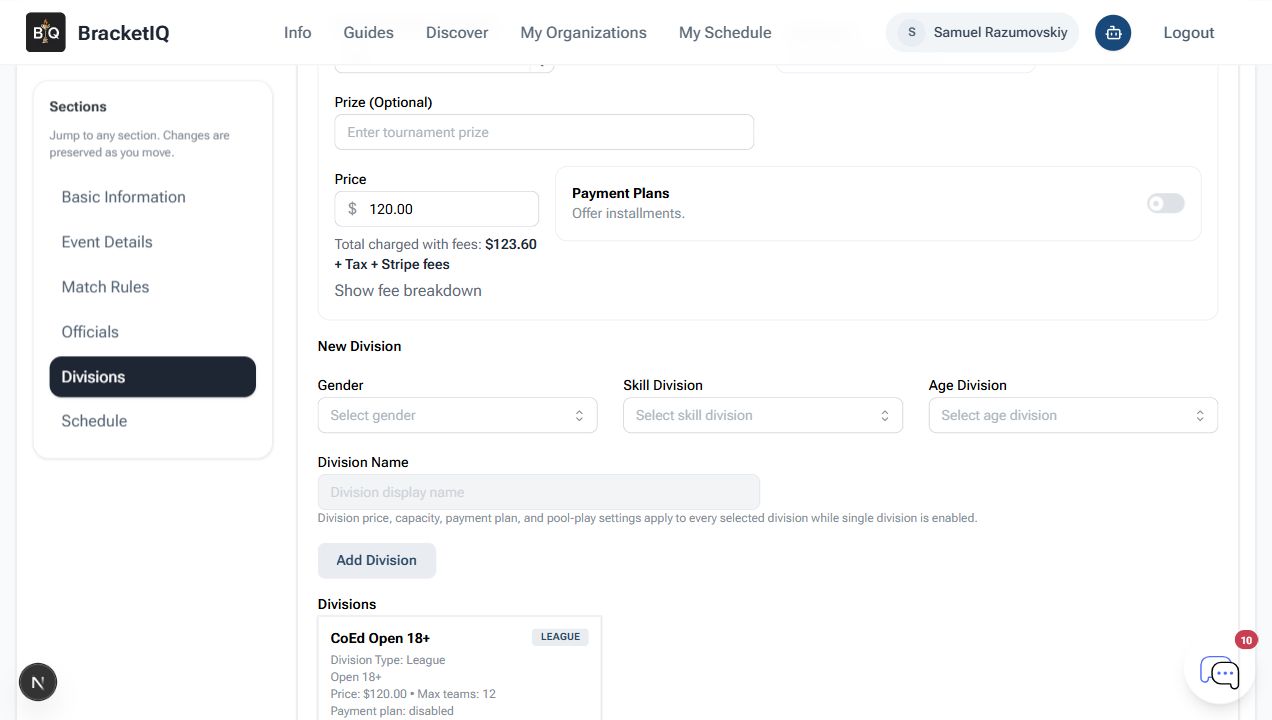
For volleyball, check these settings before publishing:
- Use team registration when captains are signing up full teams.
- Set a team price and capacity for each division.
- Keep division names clear enough for players to choose the right level.
- Decide whether waitlist or manual approval is needed for limited gym space.
- Confirm the registration cutoff leaves enough time to build pools and court assignments.
If you need the registration workflow step by step, use How to Set Up Tournament Registration for Teams and Players.
Configure pool play before building the schedule
Pool play works best when every team knows its match guarantee and every court has a predictable assignment pattern.
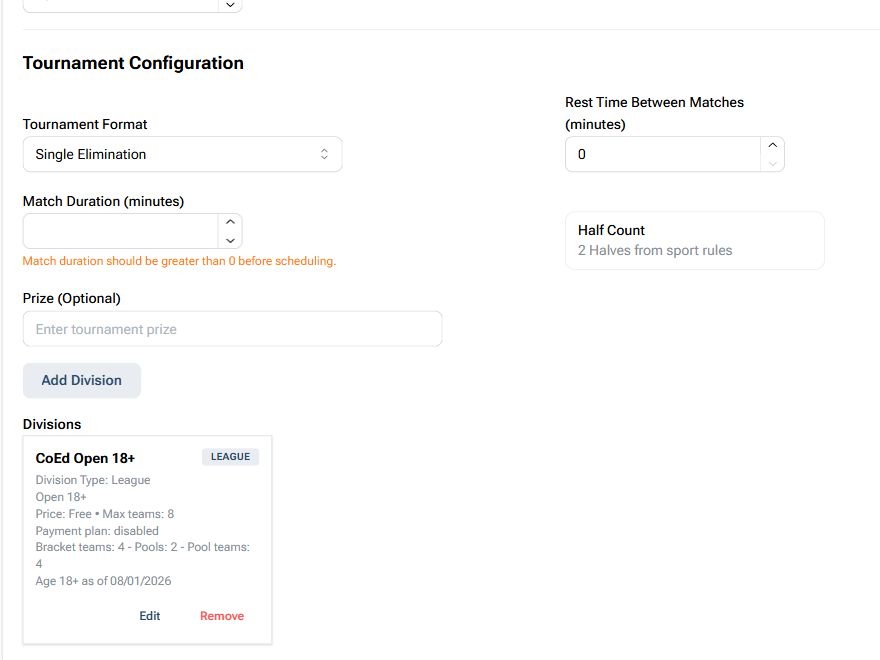
For an indoor volleyball pool stage, decide:
- How many teams belong in each pool.
- Whether pools stay on one court or rotate across courts.
- Whether every team plays every other team in the pool.
- Whether matches are one set, best of three, timed, or capped.
- Whether work teams are assigned by previous match, next match, or a separate duty chart.
- Whether pool winners, top seeds, or wildcard teams advance.
For the generic BracketIQ workflow, use How to Run a Tournament With Pool Play.
Use Agenda view for the day-of court plan
On tournament day, review the schedule in Agenda view so staff can see match order, times, teams, and court assignments in one list.
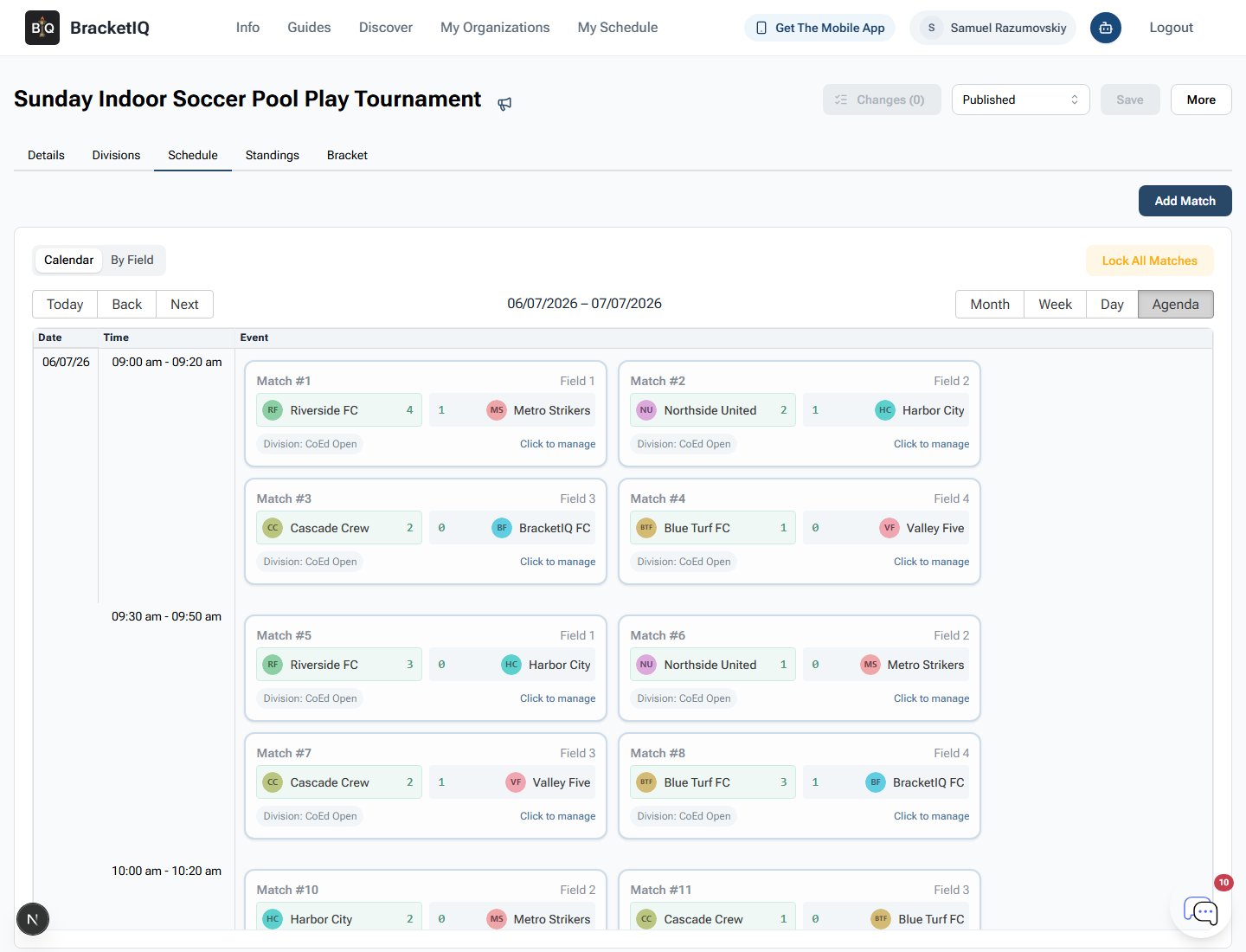
For indoor volleyball, this review should catch:
- Teams playing back-to-back without enough rest.
- Work-team duties that conflict with a team's next match.
- Courts that sit empty while another court is overloaded.
- Late pool matches that delay bracket seeding.
- Division schedules that overlap with shared gym space.
- Score-table staffing gaps.
Agenda view also gives directors a practical score-entry path. Staff can move down the schedule, enter results as matches finish, and keep pool standings current.
Confirm pool standings before advancing teams
Once pool play is complete, review standings before sending teams into the bracket. Volleyball standings can be sensitive because tiebreakers may depend on match record, set record, point differential, head-to-head results, or manual policies announced before the event.
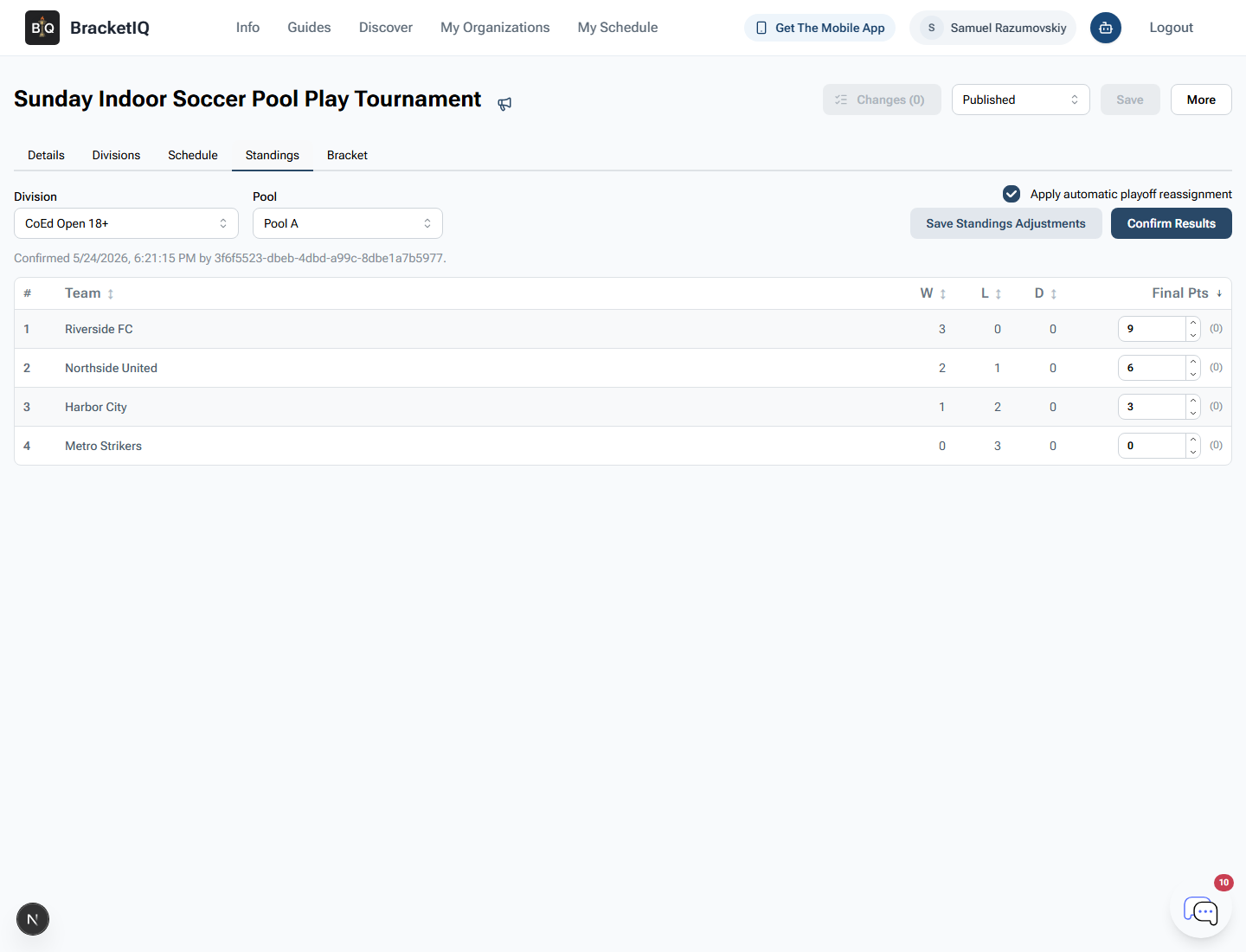
Before advancing teams, check:
- Every pool match has a final score.
- Forfeits or missed matches are handled consistently.
- Tiebreakers match the published rules.
- Advancing teams are assigned to the right bracket slots.
- Staff have checked any manual seeding changes.
Use How to Manage Tournament Results, Standings, and Advancement when the event is ready to move from pool results into bracket seeding.
Seed the bracket and communicate the transition
The hardest part of a volleyball pool-play tournament is the transition from pool stage to bracket stage. Teams finish at different times, standings need to be confirmed, and players want to know where to go next.
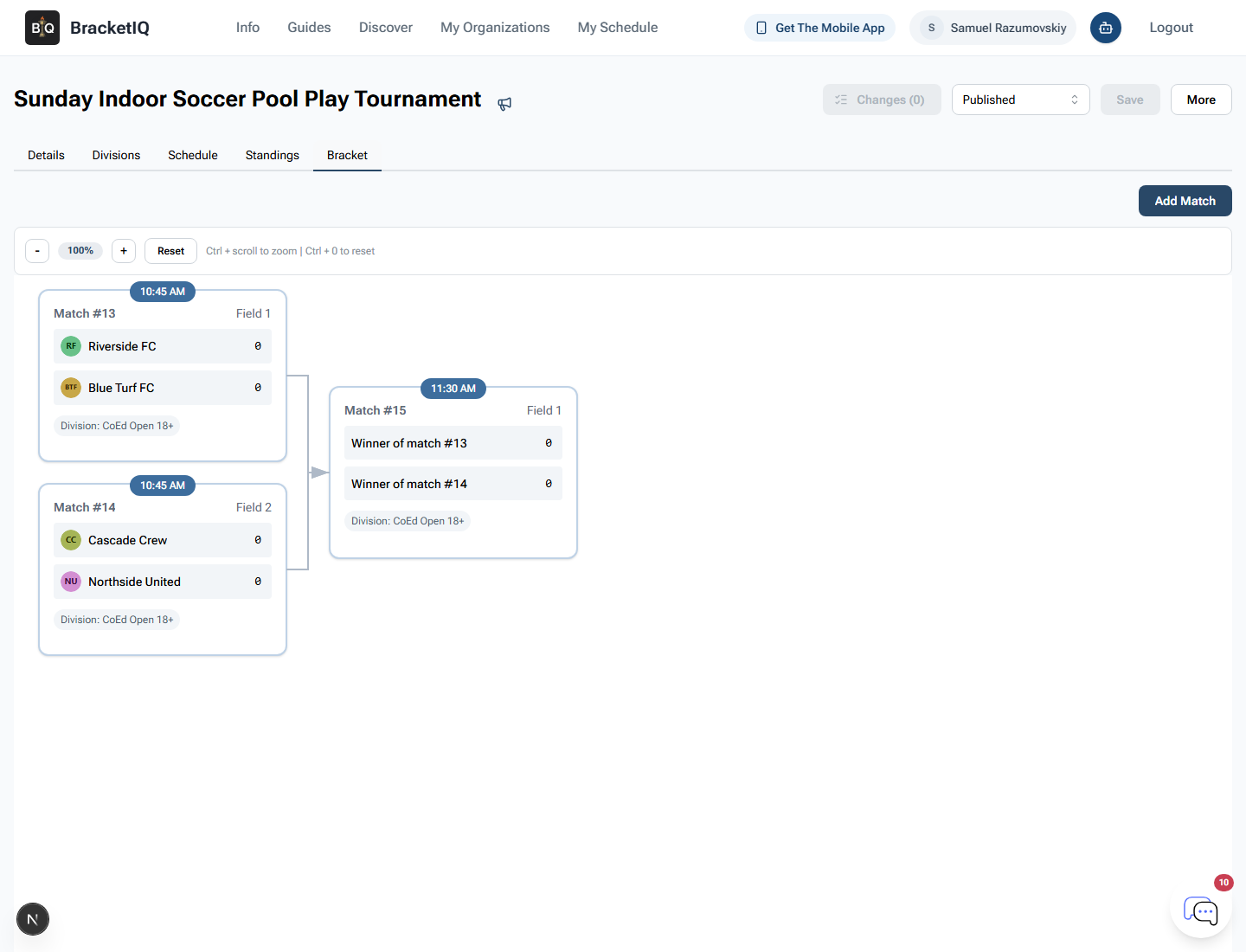
When the bracket is ready:
- Confirm bracket seeds before announcing match times.
- Check whether work-team duties continue during playoffs.
- Tell teams which court their first bracket match is on.
- Clarify whether eliminated teams still have officiating duties.
- Publish or refresh the public schedule so participants can check from their phones.
- Send a tournament update if bracket timing changes.
For larger events, use How Event Organizers Can Run Leagues and Tournaments in One Place to keep staff, registrations, payments, schedules, and public pages connected under the same organization.
Indoor volleyball tournament checklist
Use this checklist before running an indoor volleyball tournament with pool play:
- Confirm divisions, team caps, and registration price.
- Publish team registration with a clear cutoff.
- Build pools around court availability and match guarantee.
- Decide scoring, set caps, and tiebreakers before the event.
- Assign scorekeeping, line judging, and work-team duties.
- Review the full schedule in Agenda view.
- Enter scores as matches finish.
- Confirm pool standings before seeding brackets.
- Communicate bracket court assignments and timing changes.
- Keep the public schedule current for teams, staff, and spectators.
BracketIQ handles the tournament structure, registration, public page, schedule, score entry, standings, bracket advancement, payments, and communication. The volleyball-specific work is making the gym plan, work-team policy, pool format, and bracket transition clear enough that players and staff can follow the day without a spreadsheet.